 AI
AI  Analytics
  Cloud
Cloud  Office
  Stock
Stock  Disk
Disk  Dev
Dev  Forms
Forms  Crypto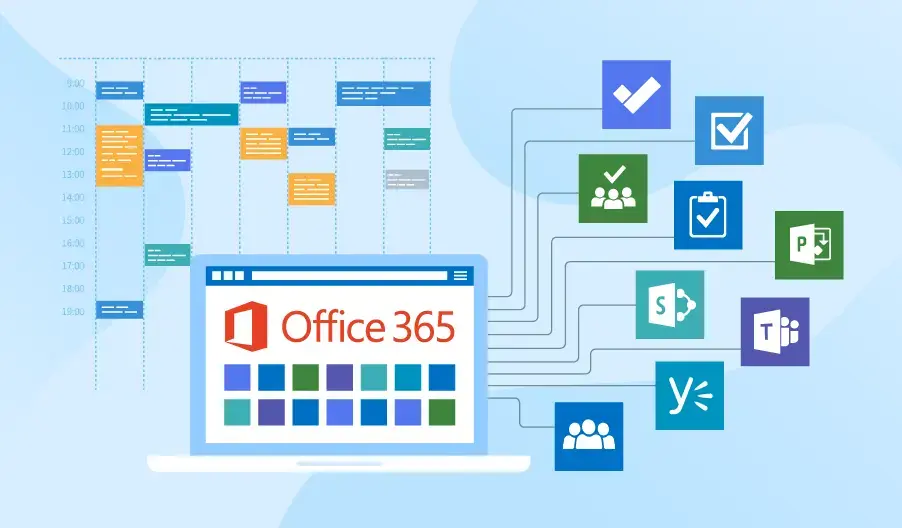
In today's fast-paced business landscape, where projects demand on-time delivery, budget adherence, and peak efficiency, project management tools are indispensable. Microsoft, a powerhouse in software innovation, delivers a robust suite integrated seamlessly into the Microsoft 365 ecosystem.
These tools not only simplify planning and task tracking but also foster real-time collaboration—especially vital in hybrid work environments that solidified post-2020. If you're seeking tools that align perfectly with your existing Microsoft infrastructure, this guide is your roadmap: more detailed, updated, and insightful than typical lists.
In this article, we'll dive into the top 10 Microsoft project management tools, emphasizing key features, pros, cons, and pricing (based on 2025 data). We've included a comparison table for quick insights and selection tips. Ready to optimize? Let's get started!
What is Microsoft Project and Why Does It Matter?
Microsoft Project (MS Project), launched in 1984, is a cornerstone for project management within Microsoft's portfolio. It enables planning, organization, tracking, and reporting via Gantt charts, resource allocation, and cost monitoring.
By 2025, with AI integrations like Copilot in Microsoft 365, these tools are smarter—predicting delays and suggesting optimizations. Whether for small teams or enterprises, Microsoft's scalable solutions integrate effortlessly with Teams, Outlook, and SharePoint.
Top 10 Microsoft Project Management Tools
Here's our curated list, ranked from basic to advanced complexity. Each includes core features, advantages, drawbacks, and estimated pricing (USD per user/month unless noted; prices may vary by region).
1. Microsoft Project Standard
A desktop solution for individuals or small teams, perfect for foundational planning. Key Features: Gantt charts, resource allocation, cost tracking, custom reports, Office integration. Pros: Straightforward for small projects; no cloud dependency. Cons: Lacks real-time collaboration; limited mobility. Pricing: One-time purchase ~0
2. Microsoft Project Professional
An advanced desktop edition for larger teams and complex initiatives. Key Features: All Standard features + collaboration, multi-project management, interactive dashboards, Project Online integration. Pros: Enhanced control and scalability for pros. Cons: Higher cost; steeper learning curve. Pricing: One-time ~,130 (estimated based on 2024 updates), or Planner and Project Plan 3 (/month)
3. Microsoft Project Online
A cloud-based portfolio management tool (retiring for all users on September 30, 2026). Key Features: Portfolio prioritization, dashboards, resource optimization, 365 integration. Pros: Excellent for enterprise collaboration. Cons: Complex interface; high costs for multi-user setups; support ends in 2026. Pricing: –/month per user (legacy access).
4. Microsoft Project Server
Enterprise-grade for large organizations, on-premises or hybrid. Key Features: Company-wide resource coordination, integrations with MS tech stack. Pros: Robust for massive projects. Cons: Requires IT support; expensive setup. Pricing: Included in Planner and Project Plan 5 (/month), plus infrastructure costs.
5. Microsoft Planner (Enhanced Post-Retirement)
The go-to cloud task manager, now unified with advanced PM features following the August 1, 2025 retirement of Project for the Web. Key Features: Kanban boards, task assignment, Teams integration, visual charts, Gantt views in premium tiers. Pros: User-friendly; ideal for small-to-medium teams with AI previews via Copilot. Cons: Basic version lacks advanced Gantt or time tracking. Pricing: Planner Plan 1 (/month)
6. Microsoft Teams
A collaboration hub with built-in PM functionalities. Key Features: Chat, meetings, project channels, Planner/To Do integrations. Pros: Centralizes communication and tasks. Cons: Not a full PM suite; needs add-ons for depth. Pricing: Included in Microsoft 365 (–/month).
7. Microsoft Lists
Flexible data organizer for tasks and workflows. Key Features: Custom lists, templates, automations, permission-based sharing. Pros: Versatile for inventory or issue tracking. Cons: No resource management or Gantt charts. Pricing: Included in Microsoft 365.
8. Microsoft Excel
The classic for custom tracking, though not specialized. Key Features: Spreadsheets, charts, calculations, real-time co-editing. Pros: Highly flexible; free with Office. Cons: Error-prone; scales poorly for large data. Pricing: Included in Microsoft 365.
9. Microsoft To Do
Simple task manager for personal and team use. Key Features: Task lists, reminders, sharing, categorization. Pros: Intuitive for daily to-dos. Cons: Too limited for complex projects. Pricing: Free with Microsoft account.
10. Microsoft Loop
Emerging collaborative canvas for dynamic project planning (new in 2025 integrations). Key Features: Real-time co-editing, components for tasks/notes, Teams/Outlook sync. Pros: Boosts creativity in hybrid teams. Cons: Still maturing; best as a supplement. Pricing: Included in Microsoft 365.
Comparison Table: Quick Overview
Tool | Key Features | Pros | Cons | Pricing (USD/month per user) |
Project Standard | Gantt, resources, costs | Simple for small teams | No collaboration | (or 0 one-time) |
Project Professional | + Collaboration, multi-projects | Scalable | Steep learning | (or ~,130 one-time) |
Project Online | Portfolio, dashboards | Enterprise collab | Retiring 2026 | – |
Project Server | Enterprise coordination | Robust for large firms | Costly setup |
|
Microsoft Planner | Kanban, integrations, Gantt (premium) | Easy for teams | Basic lacks advanced views |
|
Microsoft Teams | Chat, channels, integrations | Communication hub | Not full PM | – |
Microsoft Lists | Custom lists, automations | Versatile | No resources/Gantt | Included |
Microsoft Excel | Spreadsheets, charts | Flexible | Error risks | Included |
Microsoft To Do | Lists, reminders | Intuitive | Limited scope | Free |
Microsoft Loop | Co-editing, components | Creative collaboration | Supplemental only | Included |
Tips for Choosing the Right Tool
- Small Teams: Start with Planner or To Do—affordable and intuitive.
- Medium Projects: Opt for Project Professional or Teams for seamless collaboration.
- Enterprises: Go with Plan 5 for AI-driven insights, but plan migrations from retiring tools.
- Budget Check: Most tie into Microsoft 365—leverage your subscription. Test free trials, prioritize mobile support for remote work, and consider Copilot for predictive analytics.
Microsoft's project management tools cater to every scale—from simple lists to enterprise portfolios—with unmatched integration that saves time and resources.
In 2025, with retirements like Project for the Web behind us and Planner's enhancements leading the way, the focus is on unified, AI-powered efficiency. Implement these in your organization via a Microsoft 365 trial and tailor to your needs. Which tool will you try first? Share in the comments!
Frequently Asked Questions (FAQ)
Is Microsoft Project suitable for small businesses?
Yes, options like Planner at /month make it SMB-friendly.
Does it support mobile access?
Yes, cloud tools (e.g., Teams, Planner) have dedicated apps.
Offline use possible?
Desktop versions (Standard, Professional) yes; cloud no.
Integrations with non-Microsoft tools?
Strong with 365, limited externally (e.g., Jira via add-ons).
Note: Prices are 2025 estimates and subject to change; verify at microsoft.com .

Leave a comment
Your email address will not be published. Required fields are marked *